Free AI Texture Generator for 3D Models: Best Workflow Guide
Transform your 3D art with the best free AI texture generator for 3D models. Learn how to streamline workflows and enhance model fidelity.
July 16, 2026 · Game Development
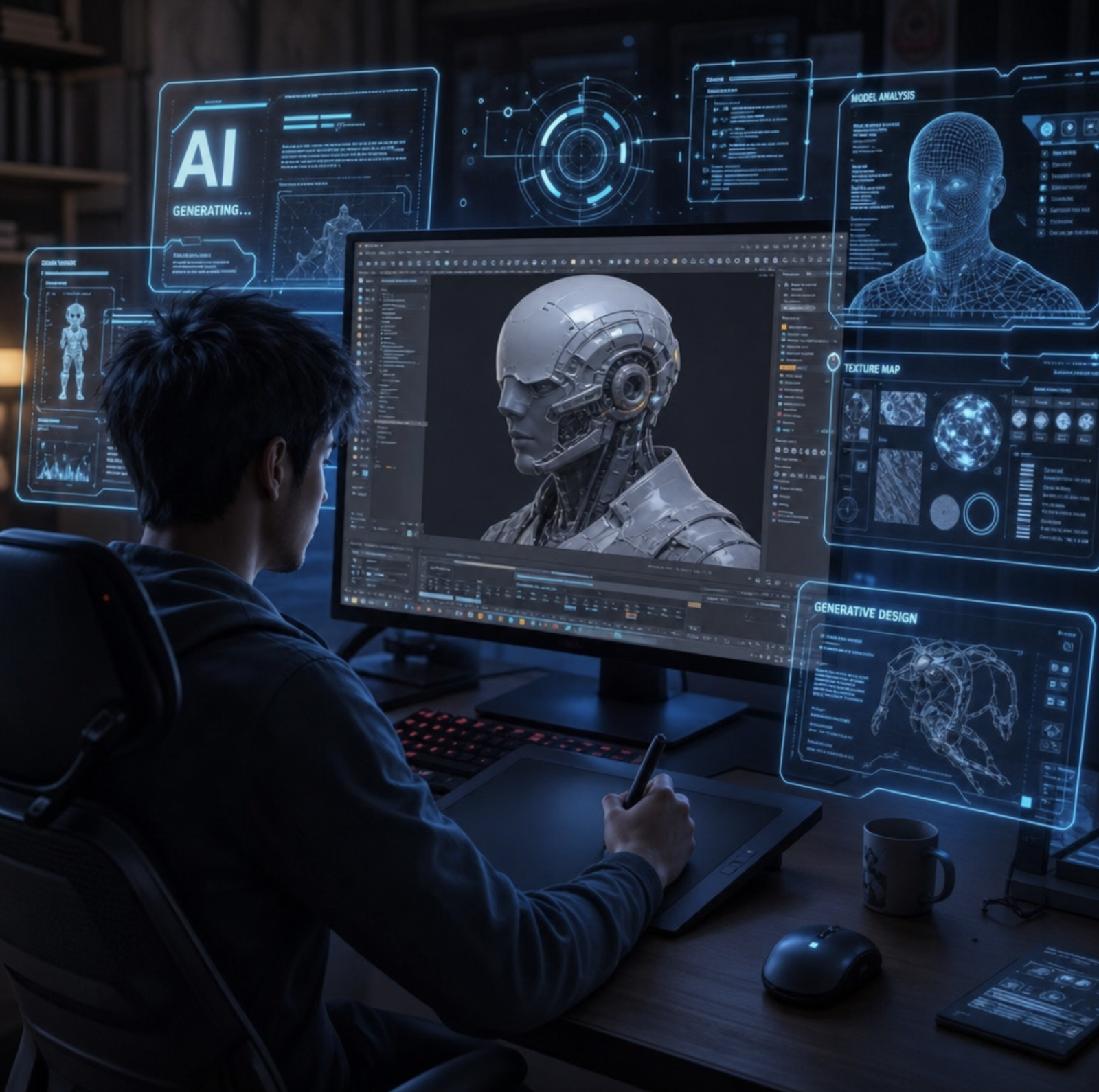
## Best Free AI Texture Generator for 3D Models Workflow
If you are a digital artist, game developer, or hobbyist, you already know the struggle: you spend hours meticulously modeling an asset, only to hit the daunting wall of texturing. Traditionally, creating high-quality, seamless, physically based rendering (PBR) materials required complex node setups, massive texture libraries, and endless tweaking.
Thankfully, the landscape is shifting rapidly. By utilizing an ai texture generator for 3d models , you can transform a tedious hours-long task into a process that takes mere seconds. Today, optimizing 3d workflow with artificial intelligence is not just a futuristic concept; it is an accessible reality for creators at all levels.
In this guide, we are going to walk through the ultimate free workflow for generating stunning materials for modern 3d rendering . We will cover everything from text prompts to application, focusing heavily on reducing manual 3d asset texturing time so you can focus on what you do best: creating.
## The Evolution of Texturing: Why AI Changes the Game
Before we dive into the step-by-step workflow, it is important to understand how drastically things have changed. If we look at AI texture painting vs traditional UV mapping , the contrast is staggering. In the past, creating custom textures meant carefully unwrapping your model, exporting the UV layout, and manually painting in external 2D software before bringing it back into your 3d model program.
Today, artificial intelligence acts as a brilliant 3d model ai companion right inside your favorite 3d software . Instead of hunting for the perfect stock photo, you can leverage text-to-texture diffusion models for game development . These advanced algorithms understand lighting, depth, and material properties, allowing for real-time procedural texture generation using deep learning.
Whether you are aiming for hyper-realism in architectural visualization or stylized assets for an indie game, mastering this technology is crucial for modern 3d rendering.
## Understanding the Technology Behind AI Textures
To get the most out of your tools, you need a basic understanding of what is happening under the hood. The magic relies on neural texture synthesis for digital artists. This technology analyzes millions of real-world materials to understand how light interacts with different surfaces.
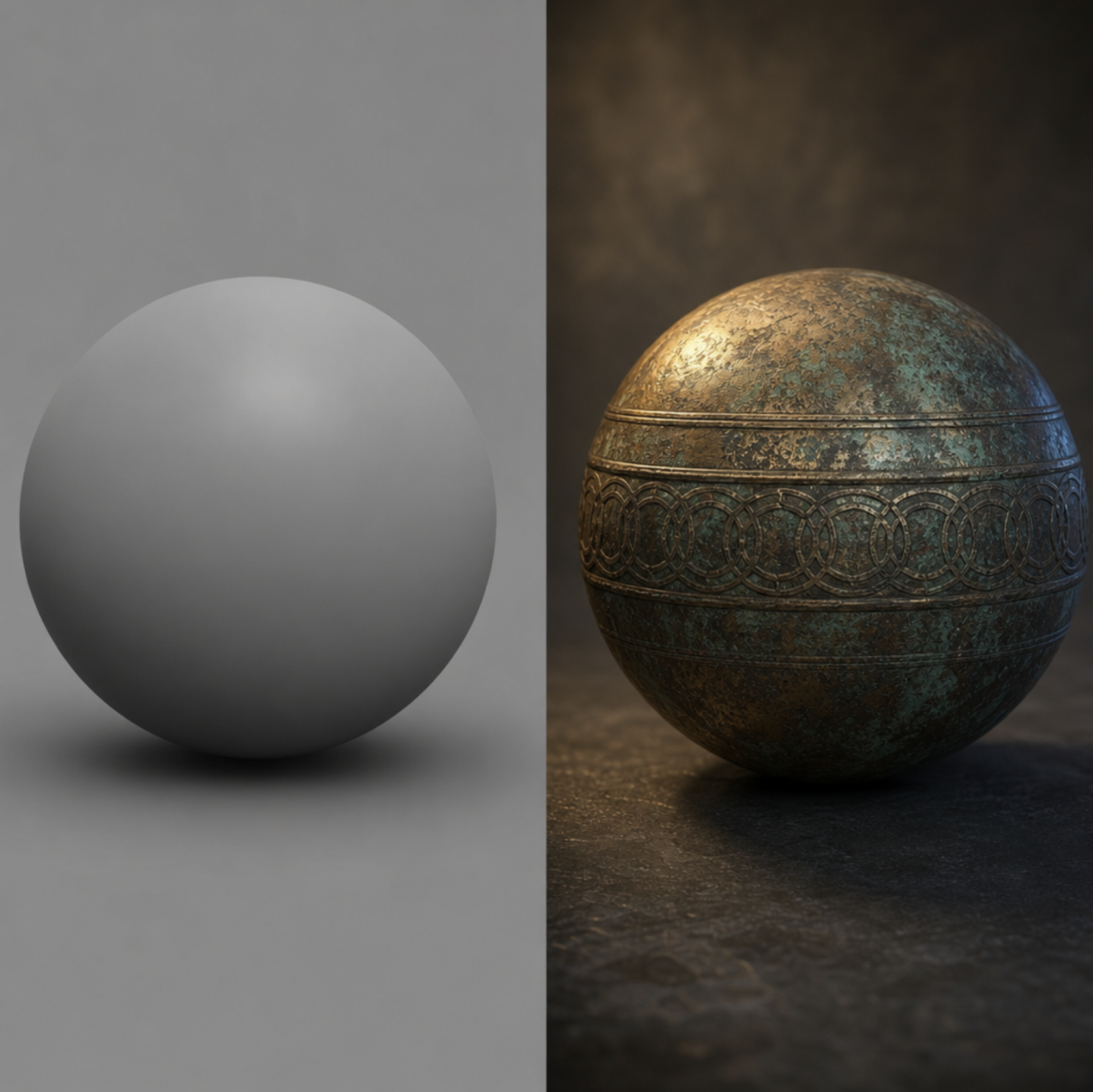
When you input a prompt, the AI does not just paint a flat image; it intelligently predicts the physical attributes of the material. This is why enhancing low-poly models with ai surface details has become such a popular technique. You can take a basic, blocky model and apply an AI-generated PBR material that gives the illusion of millions of polygons through intricate bump and displacement maps.
## The Ultimate Free AI Texture Workflow Step-by-Step
Let's get practical. Here is a highly effective, completely free workflow to generate, process, and apply AI textures to your models.
### Step 1: Base Generation via Prompting
The first step is PBR material generation from text prompts. Using free web-based diffusion models or local installations like Stable Diffusion with seamless extensions, you can generate your base color (Albedo) map.
A common question beginners ask is how to create seamless 3d textures with ai. The trick lies in utilizing specific "tiling" or "seamless" modifiers within your prompt or AI tool settings.
Actionable Example: Let's say you are generating realistic wood textures for gaming environments. Instead of just prompting "wood," you should prompt: "High-res, top-down view of weathered mahogany wood planks, deep grain, seamless, tiling, photorealistic, neutral lighting." Neutral lighting is vital here; you do not want baked-in shadows ruining your dynamic lighting later.
### Step 2: From 2D Image to PBR Maps
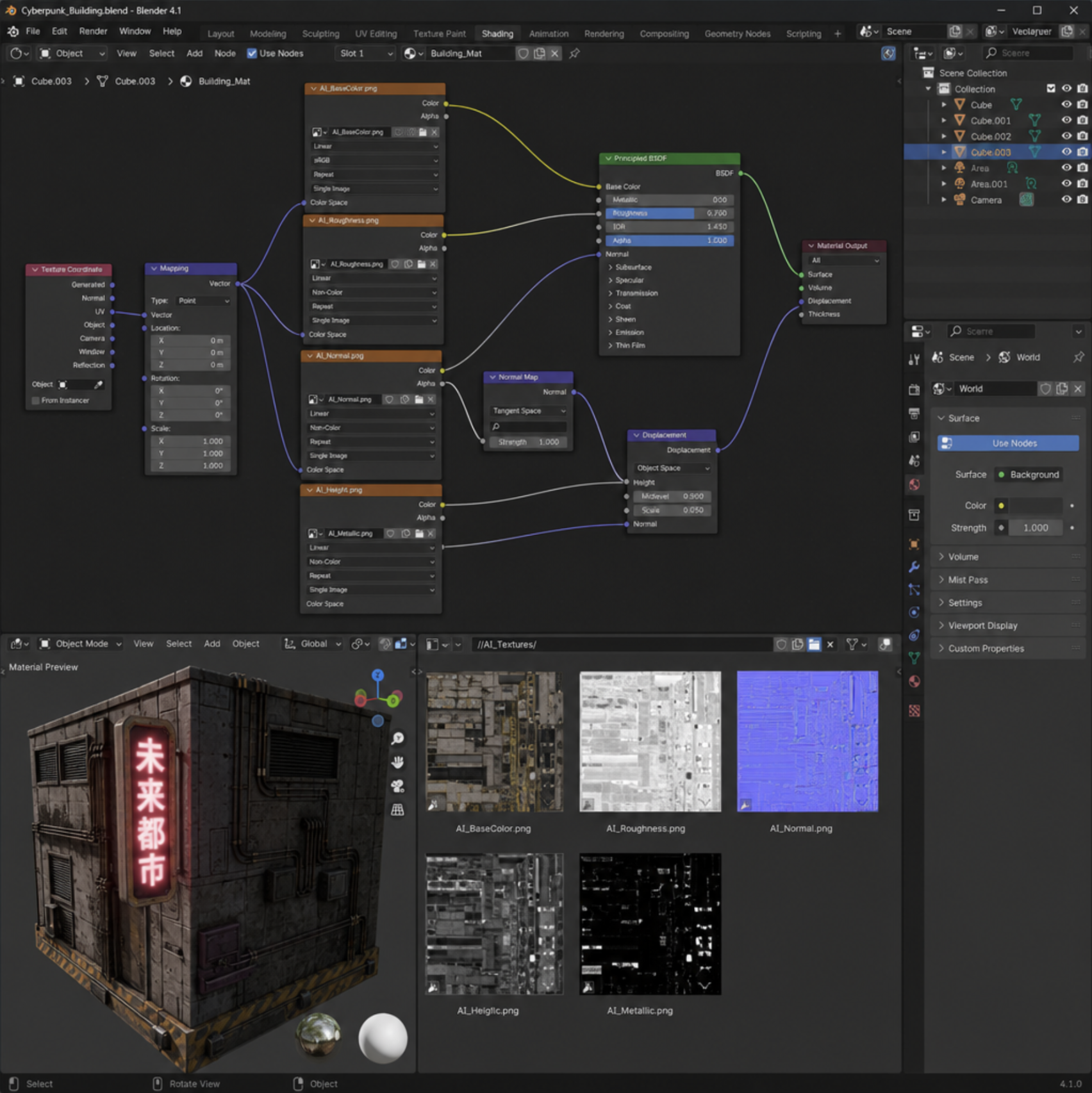
A flat image is not a texture; it is a decal. To make it react to light, we need PBR maps. The process of converting 2d images into high-resolution 3d materials is where AI truly shines.
You can use free AI upscalers and material generators (like Materialize or specialized AI web apps) to extract necessary data from your base image. These tools excel at automated normal map generation for 3d assets, analyzing the shading in your 2D image to create accurate height, roughness, and normal maps.
A frequent debate in the community is: can ai generate 4k pbr maps? The answer is an absolute yes. While many free AI generators output at 1024x1024 or 2048x2048 natively, utilizing free AI upscaling tools allows you to boost these base maps to crisp 4K or even 8K resolutions without losing the micro-details essential for close-up shots.
### Step 3: Application in Your 3D Software
Once your maps are ready, it is time to bring them into your 3d software . For many indie developers and hobbyists, Blender is the software of choice. Thankfully, there are incredible community-built plugins that rank among the best free ai texturing tools for blender. Add-ons like DreamTextures allow you to run Stable Diffusion directly inside the node editor.
Furthermore, we are beginning to see the rise of AI-driven uv unwrapping and material assignment. While fully automated perfect UVs for complex organic characters are still evolving, AI can automatically project seamless textures onto hard-surface models using triplanar mapping techniques, saving you from the headache of manual seam placement.
## Expanding Your AI Toolkit Beyond Textures
While an ai texture generator for 3d models is incredibly powerful, it is just one piece of the modern generative puzzle. The broader ecosystem of AI generation is expanding at an unprecedented rate, offering tools that cover the entire 3D pipeline.
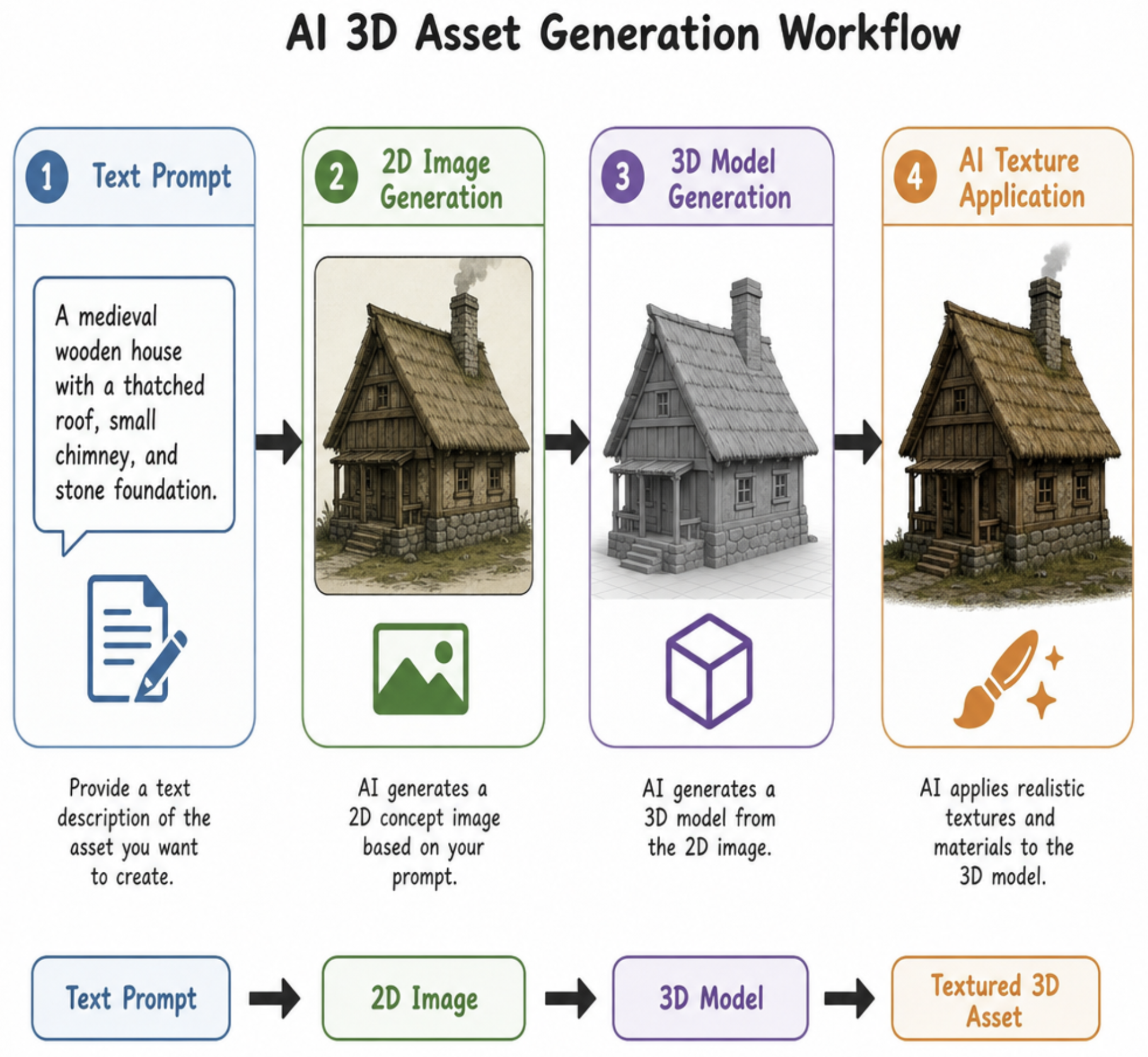
If you are looking to populate a scene rapidly, you might explore an ai 3d generator or an ai 3d model generator . These tools take text prompts or single images and generate complete, volumetric meshes. Need a background prop? A dedicated 3d object maker ai (or 3d model maker ai ) can spit out a base mesh in minutes. Need an NPC for your game? An ai 3d character generator can give you a rigged starting point.
For conceptualization, before you even open your modeling software, utilizing a 3d ai art generator or a 3d ai image generator can help you establish the exact look, mood, and color palette of your asset. You can feed these concept images directly into an ai 3d model creator, essentially using AI to bridge the gap from 2D imagination to 3D reality.
Finally, once your model is built and textured, an ai 3d render generator can be used to denoise your final output, upscale your render, or even adjust the lighting mood of your final image in post-production. A comprehensive 3d modeling ai generator pipeline ensures that from conception to the final pixel, you are working as efficiently as possible.
## Actionable Tips for Flawless AI Texturing
To ensure you get the absolute best results from your AI workflow, keep these professional tips in mind:
- Avoid Baked Lighting: When prompting for textures, always include keywords like "flat lighting, ambient occlusion only, albedo, no shadows." If your AI generates an image with a strong light source, it will look unnatural when you apply your own scene lighting.
- Embrace Triplanar Mapping: If you hate UV unwrapping, use a Box/Triplanar projection node in your material setup. Because AI excels at creating seamless tiling textures, triplanar mapping will wrap the texture around your object effortlessly, blending the seams for you.
- Layering is Key: Do not rely on one single AI generation. Generate an AI dirt map, an AI rust map, and an AI base metal map. Blend them together using noise masks in your 3d software for a truly bespoke, complex material.
- Iterate with Inpainting: If 90% of your generated texture is perfect but there is a strange artifact, use an AI inpainting tool to brush over the mistake and regenerate just that specific area.
## Conclusion
The era of spending days laboring over a single material setup is over. By integrating an AI texture generator into your daily pipeline, you are not replacing your artistic vision; you are supercharging it. From leveraging PBR material generation from text prompts to utilizing automated normal maps, these tools exist to remove the technical friction between your imagination and the final render.
Whether you are building massive game worlds or intricate architectural visualisations, embracing this free AI texture workflow will save you time, reduce your creative burnout, and push the visual fidelity of your 3D models to heights previously unimaginable. Dive in, start prompting, and watch your blank grey meshes come to life!