HTML AI Simulation Maker: Easy Interactive Web Development
Create engaging web experiences with an HTML AI simulation maker. This tool streamlines AI development, making web-based simulations accessible for education, prototyping, and more.
July 16, 2026 · Tutorials
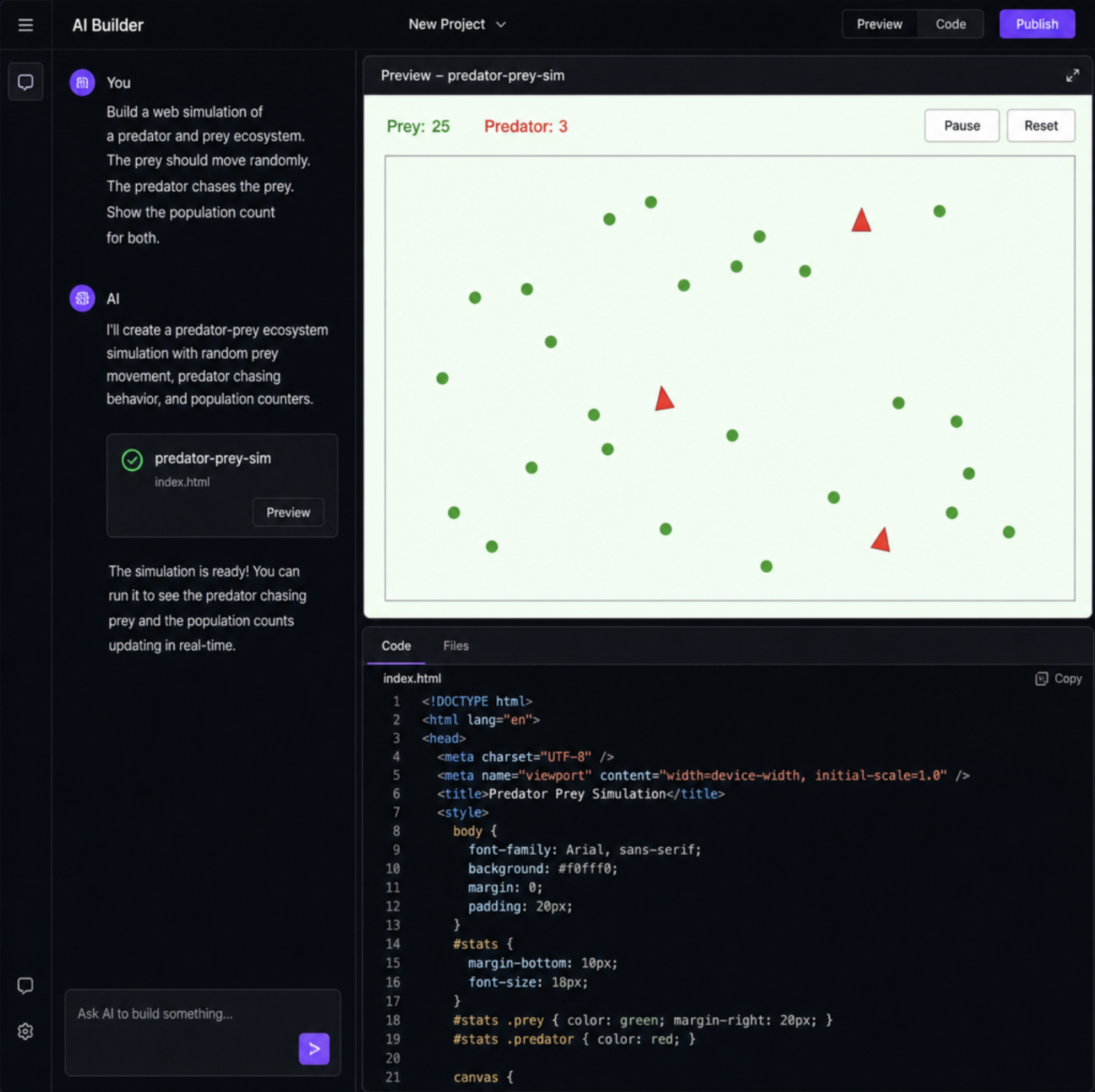
## Build Web Simulations with an html ai simulation maker
Imagine having an idea for an interactive web experience—perhaps a physics experiment, a virtual lab, or a mini-game—and bringing it to life in your browser within minutes, entirely through natural language. Just a few years ago, this would have required hours of coding, debugging, and deep technical knowledge. Today, an HTML AI simulation maker turns plain English instructions into fully functional, interactive digital environments.
As artificial intelligence continues to reshape digital creation, the barrier to entry for building web applications has plummeted. Whether you are an educator hoping to visualize complex theories, an indie developer prototyping your next hit, or a business professional looking to create an interactive chart, AI tools are democratizing the development process.
Let's explore how this technology works, its practical applications, and the best practices for building your own interactive web elements.
## Generative AI vs Traditional Web Programming for Simulations
To truly appreciate the current landscape, it helps to look at generative AI vs traditional web programming for simulations.
Traditionally, building an interactive simulation meant manually writing complex HTML for structure, CSS for styling, and thousands of lines of JavaScript for logic. If you wanted objects to collide or bounce, you had to manually code mathematical formulas or rely on heavy, external physics engines. Debugging a single misplaced semicolon could stall a project for hours.
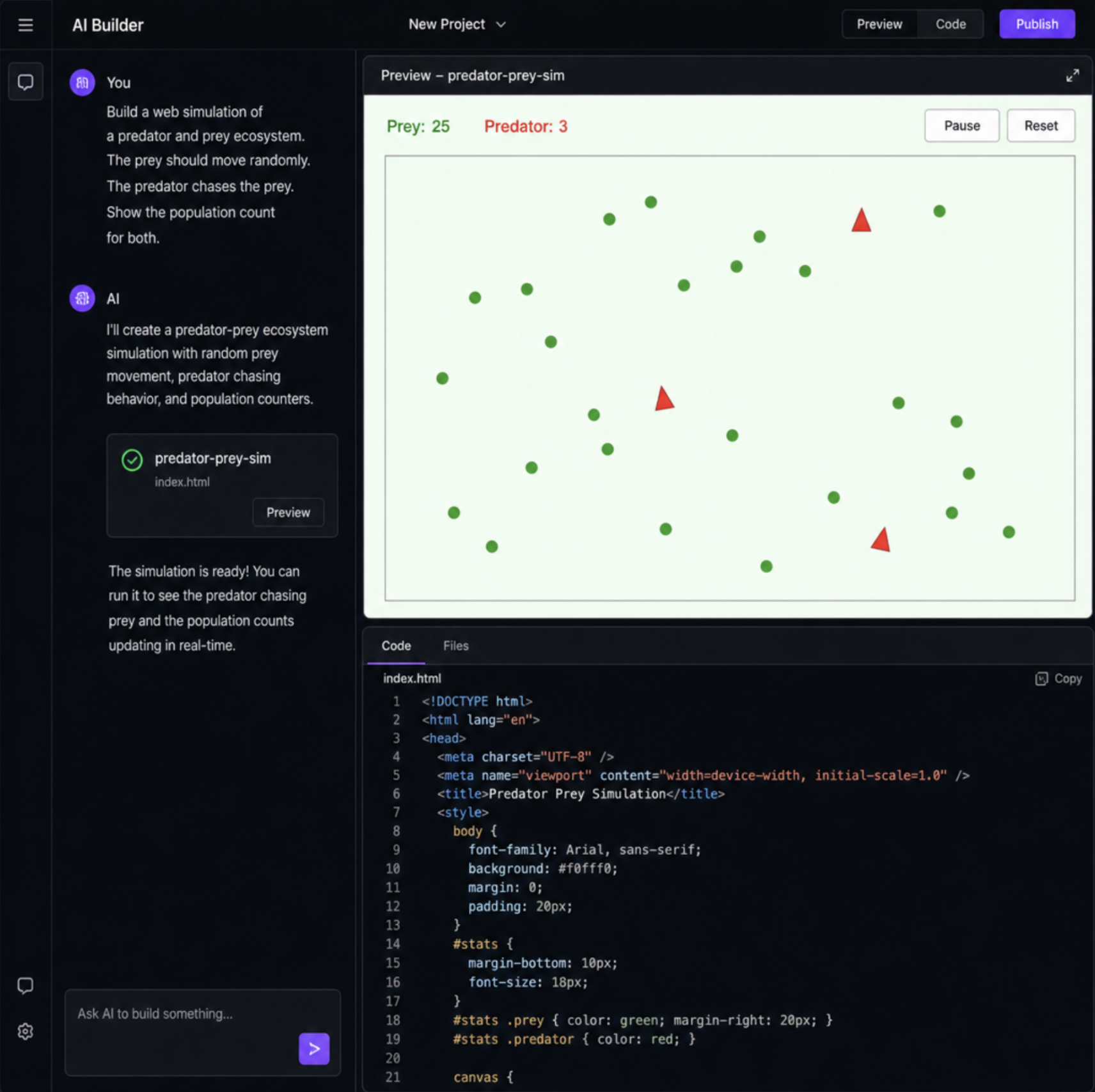
By integrating Large Language Models into web development workflows, creators can now bypass tedious syntax errors entirely. Instead of writing code from scratch, you act as a director. You describe the behavior, the aesthetic, and the rules of the simulation, and the AI translates that vision into functional code. This shift transforms the creator's role from a manual coder to a strategic designer, freeing up cognitive space to focus on user experience and educational value rather than chasing bugs.
## The Power of the Modern Online Simulation Maker
Today's browser-based AI platforms operate as a unified ecosystem. A modern online simulation maker acts simultaneously as a coding assistant, a compiler, and a visual canvas.
These platforms serve as a versatile ai development platform where anyone can become an ai model creator. You can define the parameters of a neural network, visualize data flow, or simply make a ball bounce across a screen.
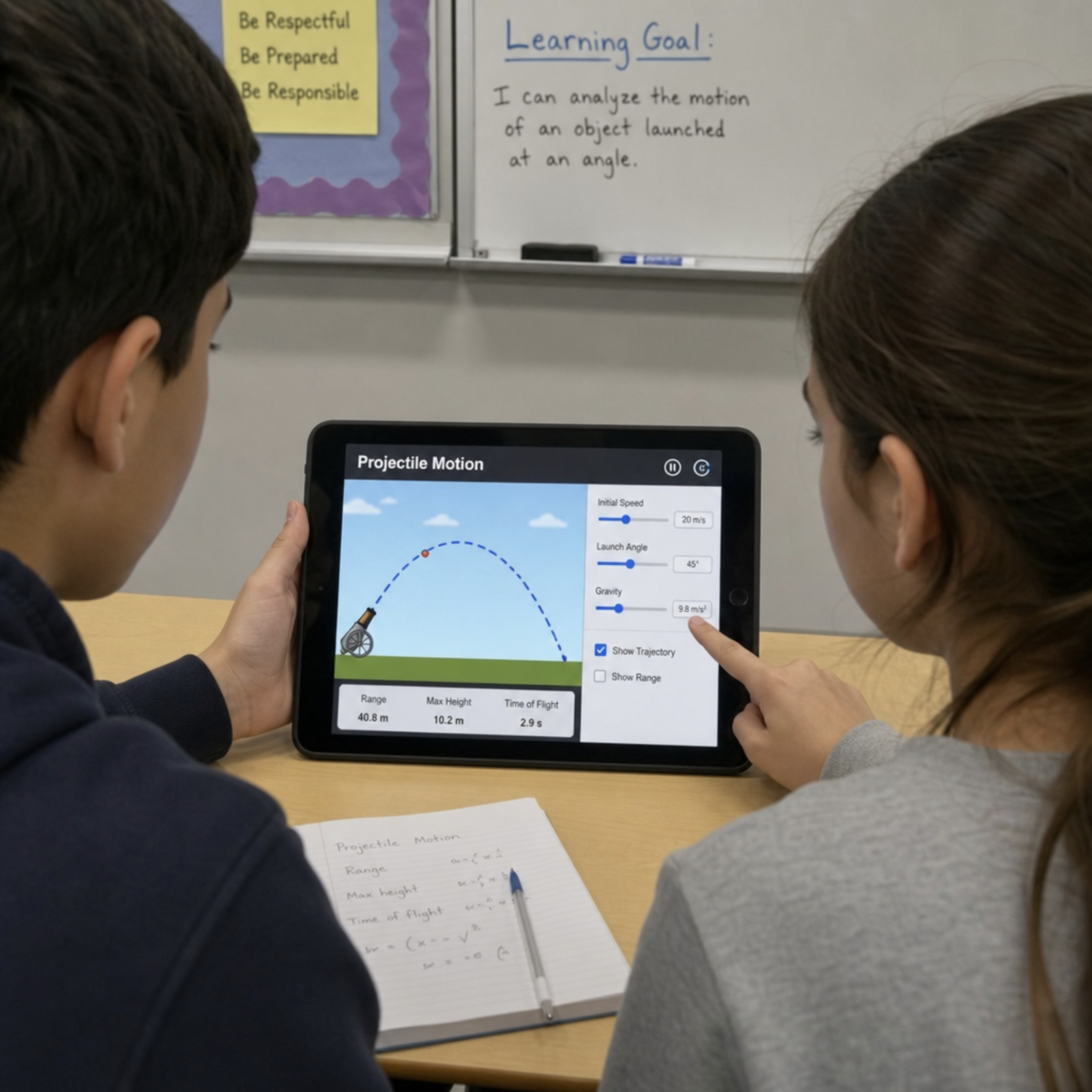
For the education sector, this is revolutionary. Schools and universities can now leverage low-code solutions for educational science experiments. A chemistry teacher, for instance, no longer needs a computer science degree to build an interactive molecular bonding model. They can simply prompt the AI to generate the visual and logical components, drastically improving classroom engagement.
## Can AI Generate Complex Mathematical Visualizations in HTML?
A common question among educators and data scientists is: can AI generate complex mathematical visualizations in HTML?
The answer is a resounding yes. Modern AI tools are exceptionally skilled at translating advanced mathematical concepts into visual code. Through natural language to HTML5 canvas animation, a user can prompt the AI to visualize Mandelbrot sets, fluid dynamics, or pendulum physics. The AI calculates the necessary geometry, sets up the rendering loop, and produces smooth, high-frame-rate visualizations directly in the browser.
## Key Features of Browser-Based Modeling Platforms
When searching for the best browser-based modeling platforms for non-coders, you should look for several core capabilities that streamline the creative process.
- Automated JavaScript code generation for physics models: The most tedious part of making interactive apps is the math. Top-tier tools handle the heavy lifting of calculating gravity, friction, velocity, and collision detection automatically.
- Real-time preview features in AI coding assistants: You should not have to compile and refresh a separate window constantly. Modern tools feature a split-screen interface where the code updates on the left, and the live, interactive web-based simulation updates instantly on the right.
- Optimizing web-based simulations for mobile responsiveness: A good simulation must work on any device. AI assistants are now trained to automatically include CSS media queries and touch-event listeners, ensuring your creation adapts seamlessly to smartphones and tablets.
## Practical Applications Across Industries
The versatility of an html ai simulation maker means it can be applied across a wide variety of fields. Here is how different industries are capitalizing on this technology:
### Education and Virtual Labs
The shift toward digital learning has accelerated the need for interactive content. Educators are utilizing AI-powered tools for classroom digital twins —creating digital replicas of physical lab equipment. By creating dynamic virtual laboratories with generative tools, students can safely experiment with volatile chemical reactions, dissect virtual organisms, or test structural engineering principles without the cost and risk of real-world materials.
### Game Development and Prototyping
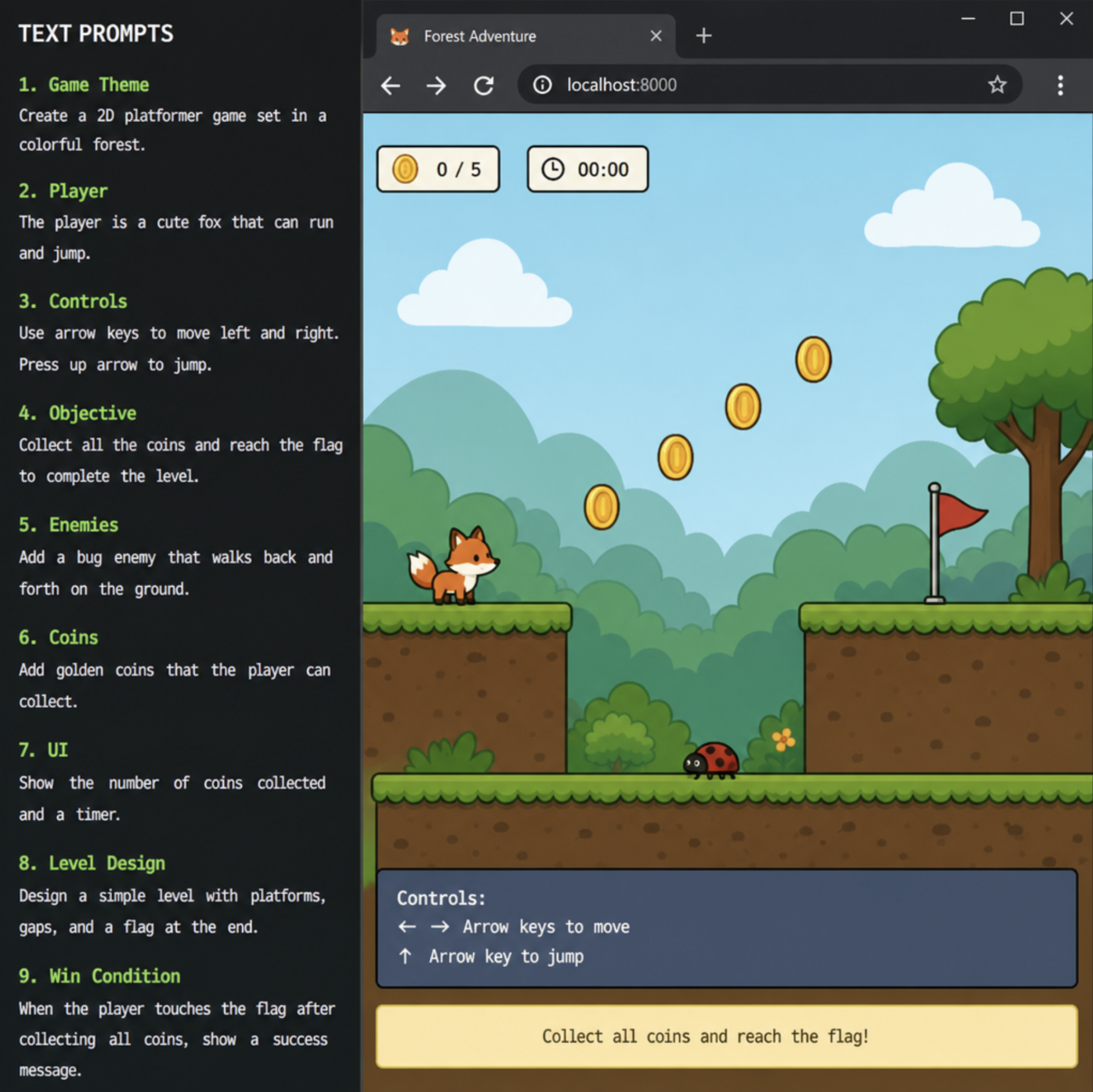
For indie developers and hobbyists, finding the best ai tool for game development often means looking for speed. Developers are currently rapid prototyping of interactive user interfaces using GPT models. Instead of spending weeks building a proof-of-concept for an inventory system or a character movement mechanic, developers can generate functional prototypes in hours. Furthermore, when making ai for non-playable characters (NPCs) in these mini-games, developers can use prompt engineering to define complex decision trees and pathfinding behaviors directly within the browser.
## How to Build Interactive Web Simulations with AI
If you are ready to create your own project, understanding how to build interactive web simulations with AI requires a slightly different approach than traditional coding. It is all about how effectively you communicate with the machine.
Here is a practical, step-by-step approach to bringing your ideas to life:
### Step 1: Conceptualize and Structure Your Prompt
The most critical skill in this new era is leveraging prompt engineering for custom web interactions. AI models thrive on specific, structured instructions.
Poor Prompt: "Make a solar system." Excellent Prompt: "Create an interactive HTML5 canvas simulation of the solar system. Include the sun and the first four planets. The planets should orbit at different speeds. Add a slider control using HTML input tags that allows the user to increase or decrease the speed of time. Use a dark background with small white dots for stars."
### Step 2: Generate and Test with Real-Time Tools
Paste your detailed prompt into your chosen AI tool. As the AI generates the HTML, CSS, and JavaScript, use the real-time preview features in AI coding assistants to test the functionality immediately. Click the buttons, move the sliders, and see if the physics behave as expected.
### Step 3: Iterate and Refine
AI rarely gets a complex simulation perfect on the first try. This is where iterative prompting comes in. If the planets in your simulation are moving too erratically, you don't need to read the JavaScript to fix it. Simply reply to the AI: "The planets are moving too fast, and the slider isn't smooth. Please reduce the base orbit speed by 50% and change the slider step value to 0.1."
### Step 4: Deploy Your Creation
Once you are satisfied with your project, it is time to share it with the world. Here is a brief step-by-step guide to deploying AI-generated browser games and simulations:
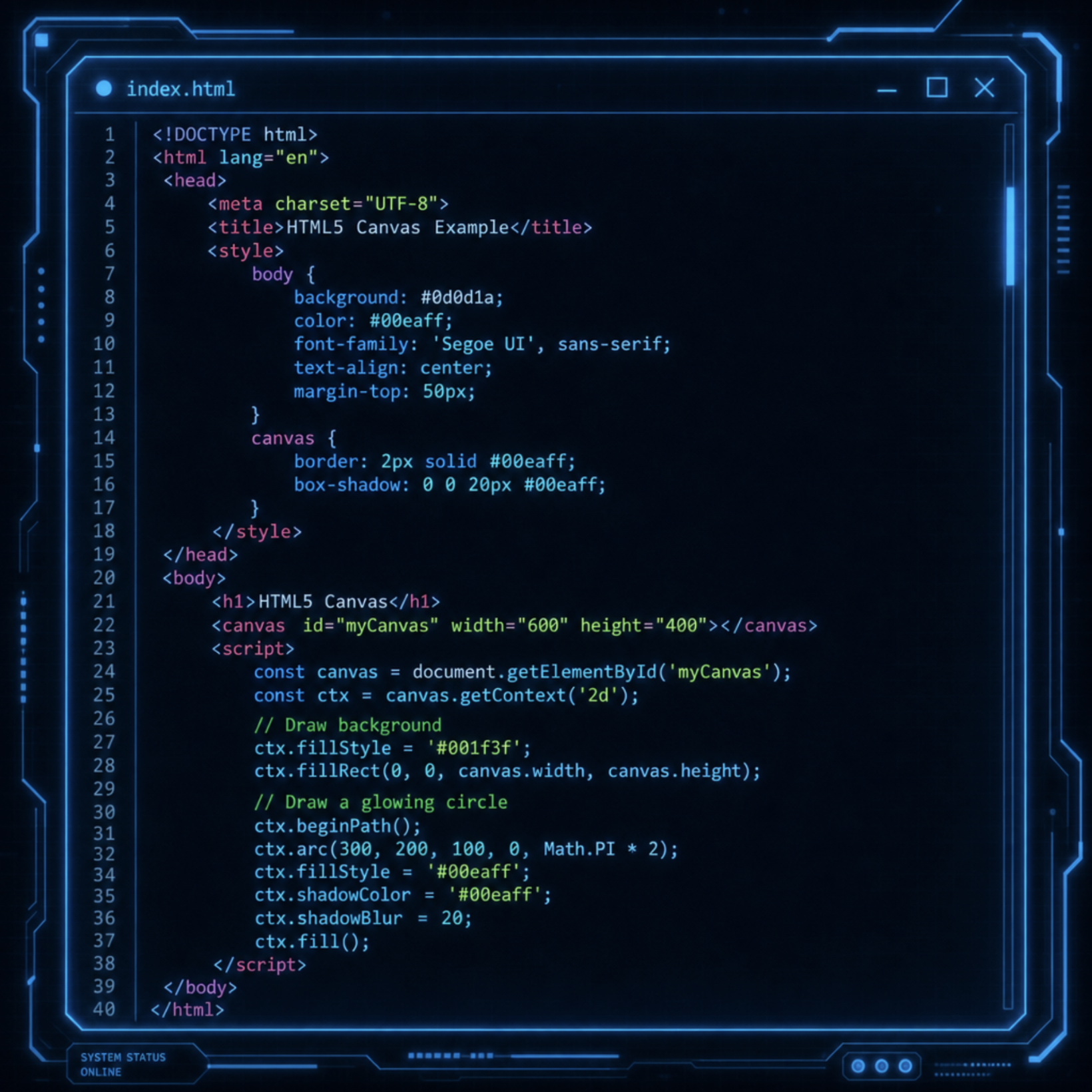
1. Export your code: Copy the generated HTML, CSS, and JavaScript. For simple simulations, keeping everything in a single index.html file is usually the easiest approach.
2. Choose a hosting platform: Platforms like GitHub Pages, Netlify, or Vercel offer free hosting for static web pages.
3. Upload and publish: Drag and drop your index.html file into Netlify's deployment dropzone, or push your code to a GitHub repository to trigger an automatic build.
4. Share your link: Within seconds, you will receive a live URL that you can share with students, colleagues, or players around the world.
## The Future of Interactive Content Creation
We are moving toward a web where content is not just consumed, but interacted with dynamically. The days of static textbook pages and flat diagrams are fading, replaced by rich, exploratory environments built on the fly.
By embracing these new workflows, anyone can bypass the steep learning curve of traditional computer science. Whether you want to demonstrate the laws of thermodynamics, prototype a puzzle game, or visualize complex datasets, an html ai simulation maker offers the fastest, most accessible path from imagination to reality.
As these tools continue to evolve, learning how to articulate your ideas through prompt engineering will become just as valuable as knowing how to code. Start experimenting with simple prompts today, and discover how easily you can build the interactive web of tomorrow.