Master Game Development Engines: A Beginner's Guide
Discover how to navigate game development engines with ease in this beginner-friendly guide. Learn to build, design, and prototype games efficiently.
July 20, 2026 · Product News
## How to Use Game Development Engines for Dummies
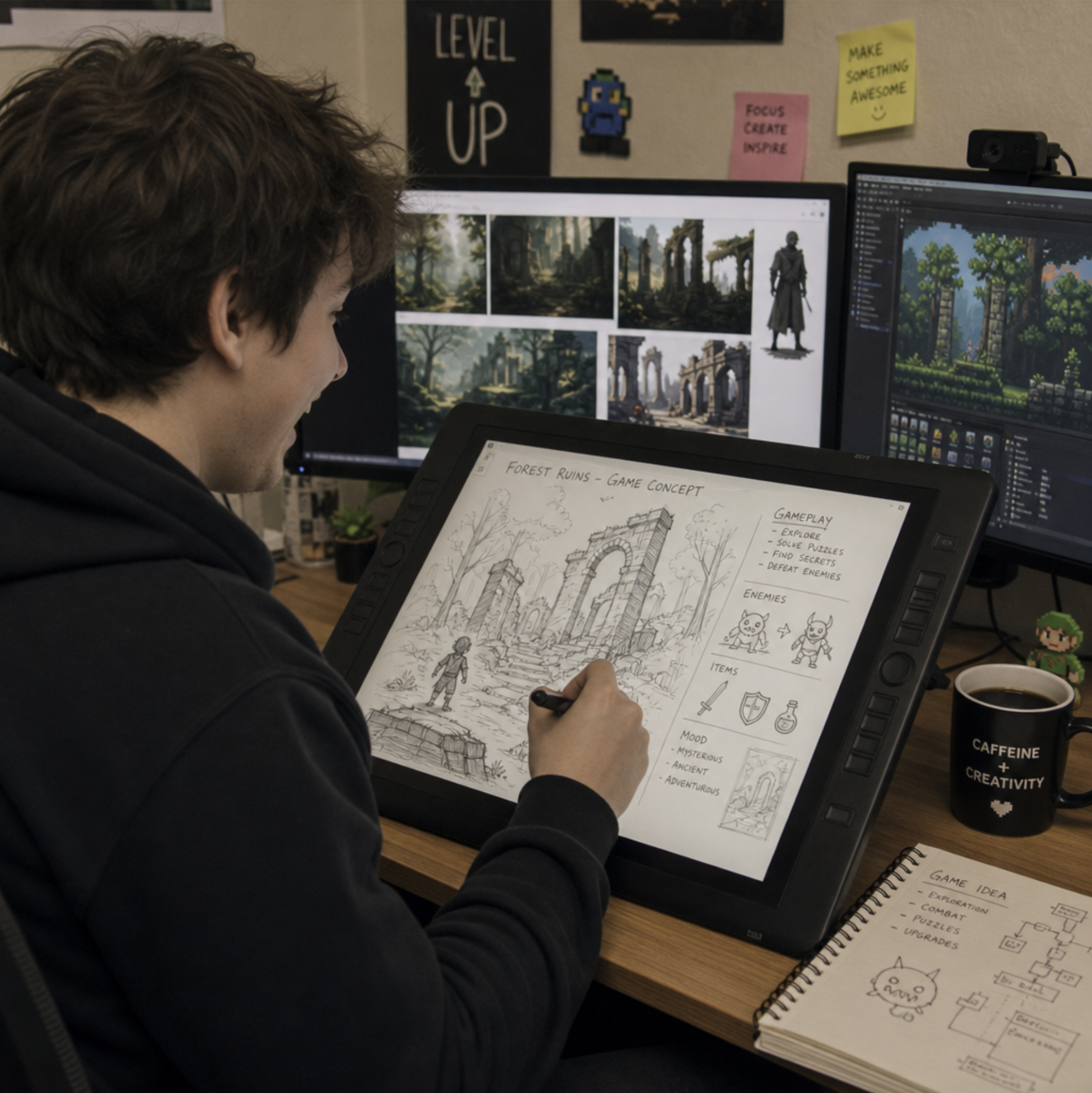
Have you ever found yourself completely immersed in a video game and thought, "I would love to make something like this"? You are certainly not alone. Today, entering the exciting world of game creation is more accessible than at any point in history. You no longer need a degree in computer science or a million-dollar budget to bring your digital worlds to life. This democratization is all thanks to modern game development engines —powerful game engines that put pro-grade development tools within reach.
Whether you dream of crafting a sprawling, photorealistic fantasy RPG or a simple, addictive mobile puzzle game to play on your morning commute, these software environments act as the foundation of your project. But for a beginner, the sheer volume of choices and technical jargon can feel overwhelming.
In this comprehensive guide, we will break down the complexities of game creation. From understanding the core technology to picking the right platform for your unique vision, here is your ultimate guide to using game development engines and selecting the best engines for your needs.

## What Exactly is a Game Engine?
At its core, a game engine is a software framework that developers use to build and construct video games. Think of it as a fully-equipped digital workshop. Instead of building a hammer, saw, and workbench from scratch before you can even start building a house, the workshop provides you with all the necessary development tools right out of the box.
Before these engines existed, developers had to write thousands of lines of code just to tell the computer how to display a pixel on a screen or how to make a sound play when a button was pressed. Today, engines handle the heavy lifting of basic game design architecture, providing pre-built systems such as:
- The Rendering Engine: This handles the visual output, taking your 3D models or 2D sprites and drawing them on the screen in real-time.
- The Physics Engine: This mathematical powerhouse is responsible for building physics and collision systems. It tells the game that gravity exists, prevents characters from walking through solid walls, and dictates how a car bounces after hitting a ramp.
- Audio Systems: These manage background music, sound effects, and spatial audio (hearing a sound coming from your left or right).
- Input Management: This translates button presses from a keyboard, mouse, or controller into actions within the game.
By relying on these built-in systems, you can spend less time reinventing the wheel and more time focusing on what makes your game fun.
How to Choose a Game Framework: Finding Your Perfect Match
When you first start out, figuring out how to choose a game framework —or which game engines to try—can feel incredibly intimidating. The internet is full of conflicting opinions, but the truth is that the "best" engine is simply the one that aligns with your specific goals, budget, and technical background. Here is how to narrow down your choices.
### 2D vs. 3D Capabilities
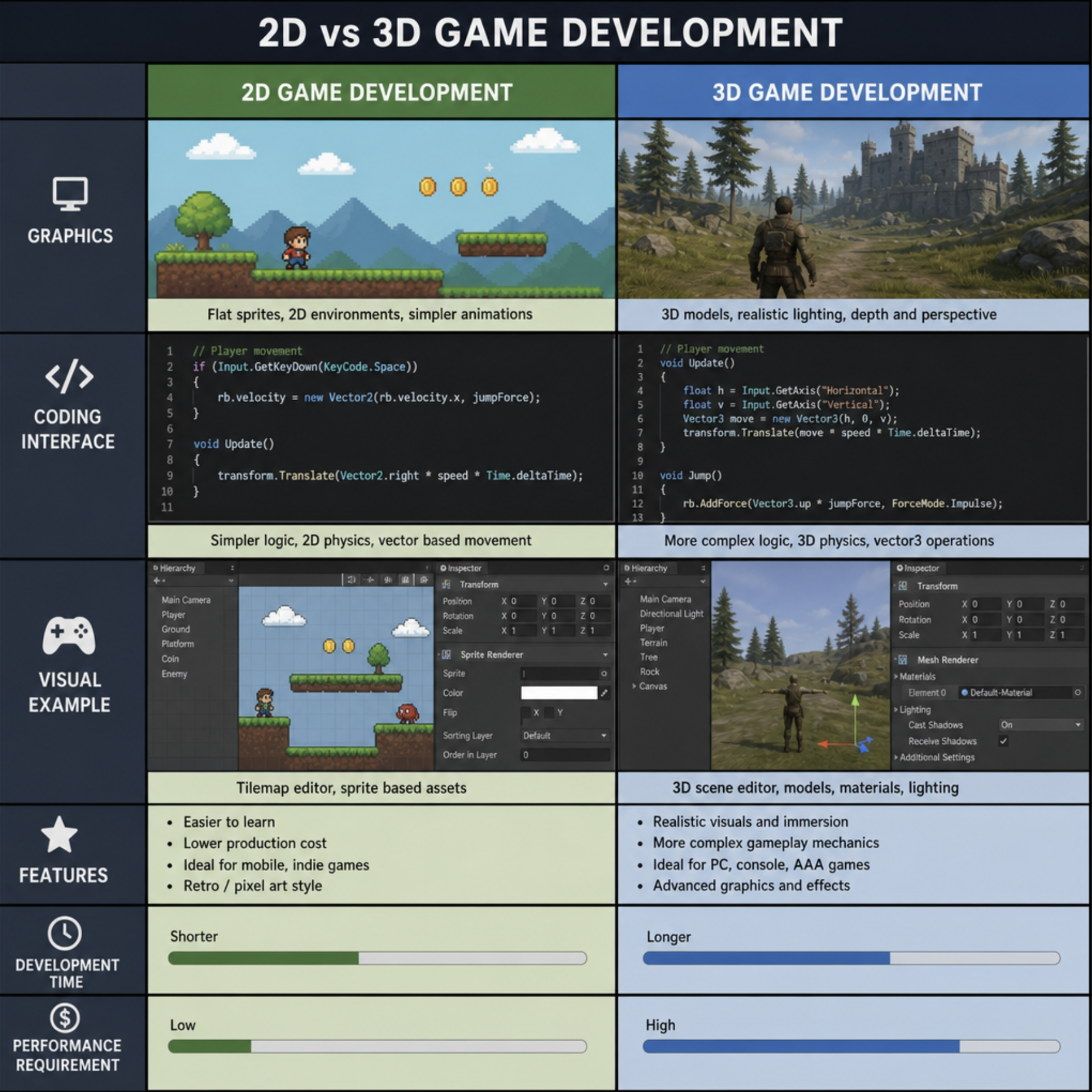
The first question to ask yourself is whether you are building a 2D or a 3D game. While many platforms can handle both, they usually excel at one or the other. If you are creating a retro-style platformer or a top-down pixel art game, you will want to look heavily into dedicated 2D game engines . Alternatively, if you are building an immersive first-person shooter, you will need the robust lighting and spatial capabilities of 3D game engines . Identifying your visual style will quickly help you pinpoint the best engines for your project.
### Budget and Monetization
Game creation can be a hobby, but it can also be a business. Before committing to a platform, you must understand the royalty fees and licensing models associated with it. Some engines are 100% free forever, while others operate on a tiered subscription basis or require you to pay a small percentage of your gross revenue only after your game makes a certain amount of money (often upwards of $1 million).
## The Industry Heavyweights: Best Software for Indie Game Creation
Let's take a look at the "Big Three" engines that dominate the independent development scene. These platforms represent the best software for indie game creation available today.
### 1. Unity
If you spend any time browsing gaming forums, you will inevitably stumble into the debate of Unity vs Unreal for beginners . Unity is arguably the most popular engine for indie developers, and for good reason. It is an incredibly versatile app development platform that scales beautifully from simple mobile games to complex console titles, and it supports C# for approachable game programming.
Unity is famous for its integrated asset store accessibility . If you don't know how to create 3D models or write complex code, you can easily purchase or download free pre-made characters, environments, and scripts directly from the Unity store. Furthermore, if you are wondering which platform is best for 2D development while still leaving the door wide open for high-quality 3D, Unity is a phenomenal hybrid choice. It also offers excellent tools for optimizing mobile game performance, ensuring your game runs smoothly on a wide variety of smartphones without draining the battery.
### 2. Unreal Engine
Developed by Epic Games (the creators of Fortnite), Unreal Engine is the undisputed king of high-fidelity, jaw-dropping visuals. It utilizes cutting-edge real-time graphics rendering pipelines to create photorealistic lighting, dynamic shadows, and incredibly detailed environments.
While it is heavily used by massive AAA studios, Unreal is surprisingly accessible to solo developers. It comes packed with incredible templates and offers a massive library of high-quality, free assets via the Quixel Megascans library. If your goal is to create a visually stunning 3D game, Unreal is unmatched.
### 3. Godot
In recent years, Godot has surged in popularity, becoming the darling of the indie game community. As a completely free and MIT-licensed software, it ranks at the very top of open source 3D creation tools. This means there are absolutely zero hidden fees or royalties—you own 100% of whatever you create.
Godot uses a unique "node-based" architecture that makes organizing your game elements incredibly intuitive. Furthermore, it boasts exceptional cross-platform deployment features. You can build your game once and seamlessly export it to PC, Mac, Linux, mobile devices, and even web browsers with minimal friction.
## The No-Code Revolution: Prototyping Games Without Coding
One of the biggest misconceptions about game development is that you must be a math genius or a master coder to succeed. While traditional game programming using languages like C#, C++, or Python is incredibly valuable, it is no longer a strict barrier to entry.
Modern game development engines are increasingly tailored to accommodate artists, writers, and designers who think visually rather than in lines of text.
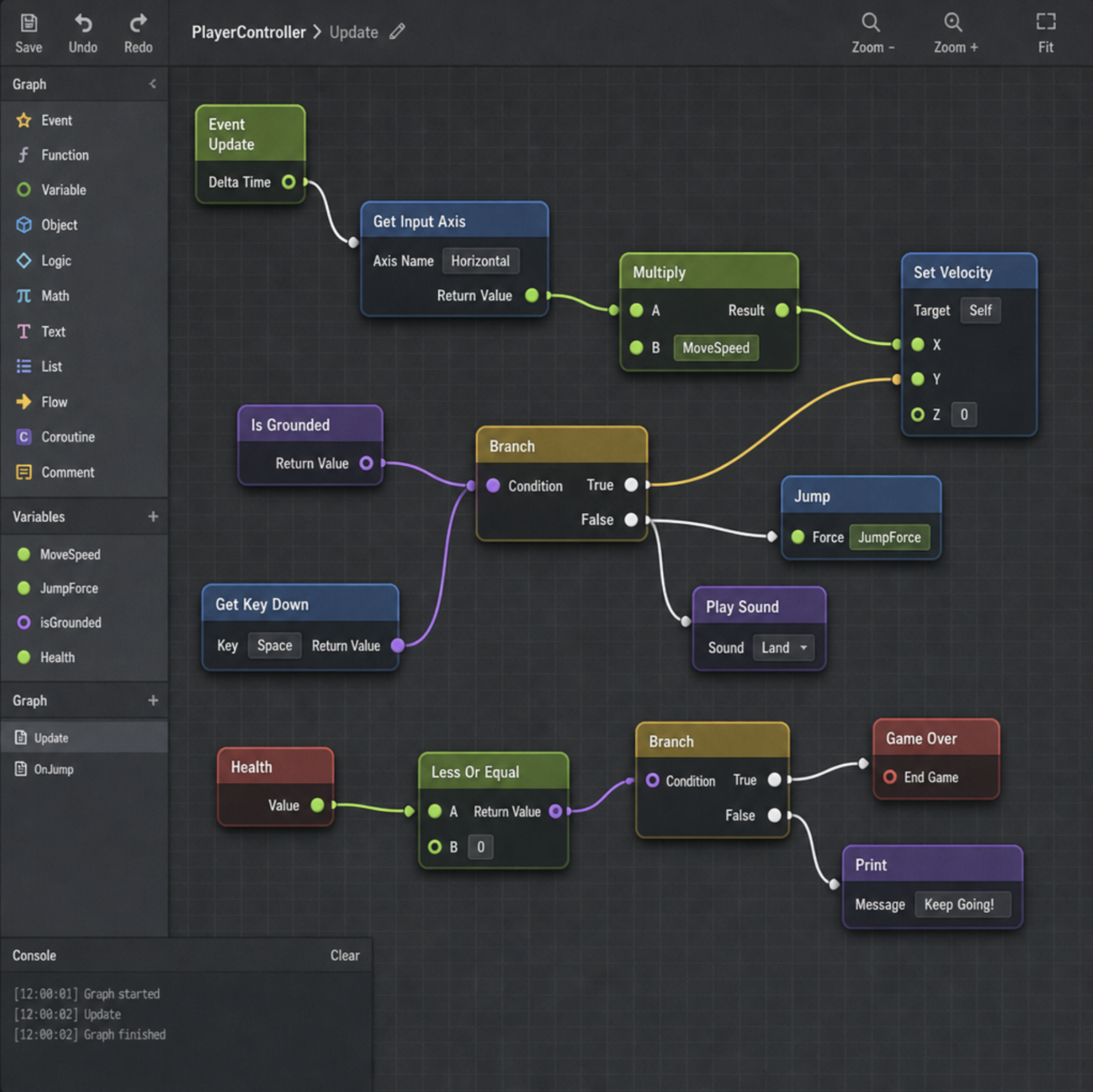
This is made possible through visual scripting for non-programmers. Instead of typing out code, you use a visual interface to drag, drop, and connect logical "nodes" together. For example, you can visually connect a node that says "If Player Presses Spacebar" to a node that says "Make Character Jump."
Unreal Engine's visual scripting system, known as "Blueprints," is so powerful that entire commercially successful games have been built without writing a single line of traditional code. Unity and Godot also offer their own robust visual scripting solutions. This technology makes prototyping games without coding incredibly fast, allowing you to test out your fun ideas in an afternoon rather than spending weeks learning syntax.
## A Step-by-Step Guide to Building Your First Game
Ready to dive in? Here is a practical, step-by-step roadmap for dummies to get your first project off the ground.
### Step 1: Conceptualize and Keep it Tiny
The number one mistake beginners make is aiming too high. Do not try to build a massive open-world multiplayer game for your first project. Start with something microscopic. Think of a simple arcade game like Pong , Flappy Bird, or a basic top-down maze. Your primary goal right now is simply to learn the interface of your chosen engine and complete a project from start to finish.
### Step 2: Gather Your Assets
Do not waste time trying to compose an original orchestral soundtrack or meticulously animating a character's run cycle. Lean heavily on asset marketplaces. Download free 3D models, 2D sprite sheets, and sound packs. By using pre-made assets, you can focus purely on learning how to make the game function.\
### Step 3: Follow the Community
You are going to get stuck. A character will fall through the floor, or the game will crash when you press a certain button. When this happens, do not panic. The strength of popular game engines lies in their communities.
Rely heavily on community tutorials and documentation. Platforms like YouTube, Udemy, and dedicated Reddit forums are goldmines of information. If you encounter a bug, chances are thousands of beginners have encountered that exact same bug before, and the solution is just a quick Google search away.
### Step 4: Implement Basic Mechanics
Start by getting your character to move. Once you have mastered basic movement and physics, you can start introducing enemies, score counters, and win/loss conditions. Focus entirely on the single-player experience first. Features like multiplayer networking support are highly complex and should be saved for much later in your development journey after you have a firm grasp on the basics.
## Final Thoughts: Your Development Journey Begins Today
Learning how to use game development tools is much like learning to play a musical instrument. The first few days will feel clumsy and confusing, but with consistent practice, the interface will soon become second nature.
Don't let the fear of technical challenges hold you back. Whether you choose to dive into complex coding or rely entirely on visual scripting, the tools to bring your imagination to life are sitting right in front of you, often completely free of charge. Pick an engine, watch a beginner tutorial, and start building. The world is waiting to play what you create!